Move approved work into production without losing context.
MachineFlow carries customer, part, drawing and due-date information from a won quotation into a job, so everyone works from the same context.
- Quote context
- Drawings carried forward
- Clearer job status
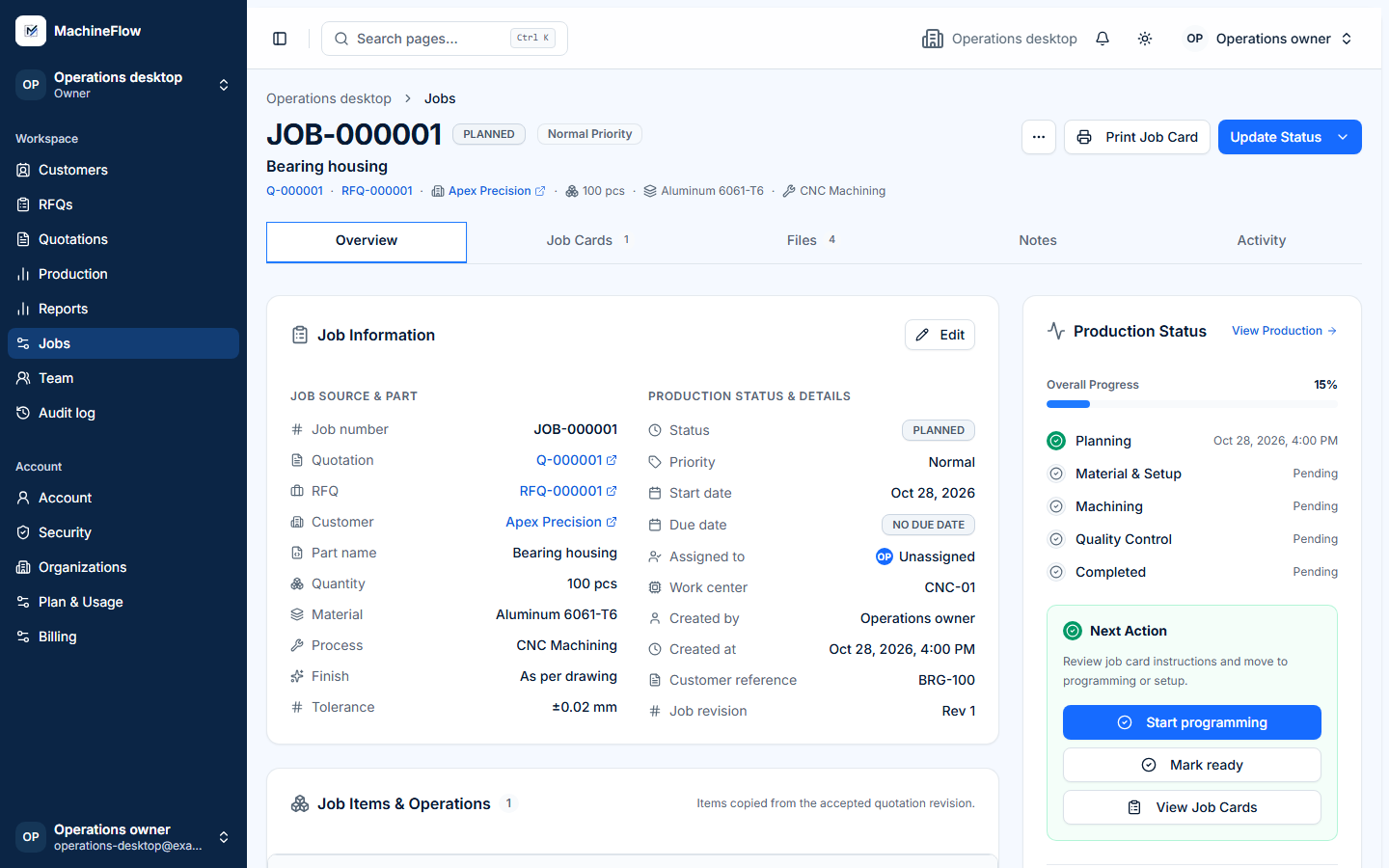
Stop re-entering won work.
When a quotation is won, the job starts with its approved commercial and manufacturing context. Customer, part and drawing information stays connected instead of being recreated in another tool.
- Customer and part information carries forward.
- Due dates and requirements stay with the job.
- Production notes remain visible to the team.
- Job status is easier to find without chasing updates.
From won quotation to completed job.
- 01
Won Quotation
Begin with the accepted commercial context.
- 02
Create Job
Carry approved information into the job.
- 03
Job Items
Organize parts and their production work.
- 04
Job Cards
Share instructions and drawing context.
- 05
Execution & QC
Record operation progress and checks.
- 06
Production Visibility
See status and work needing attention.
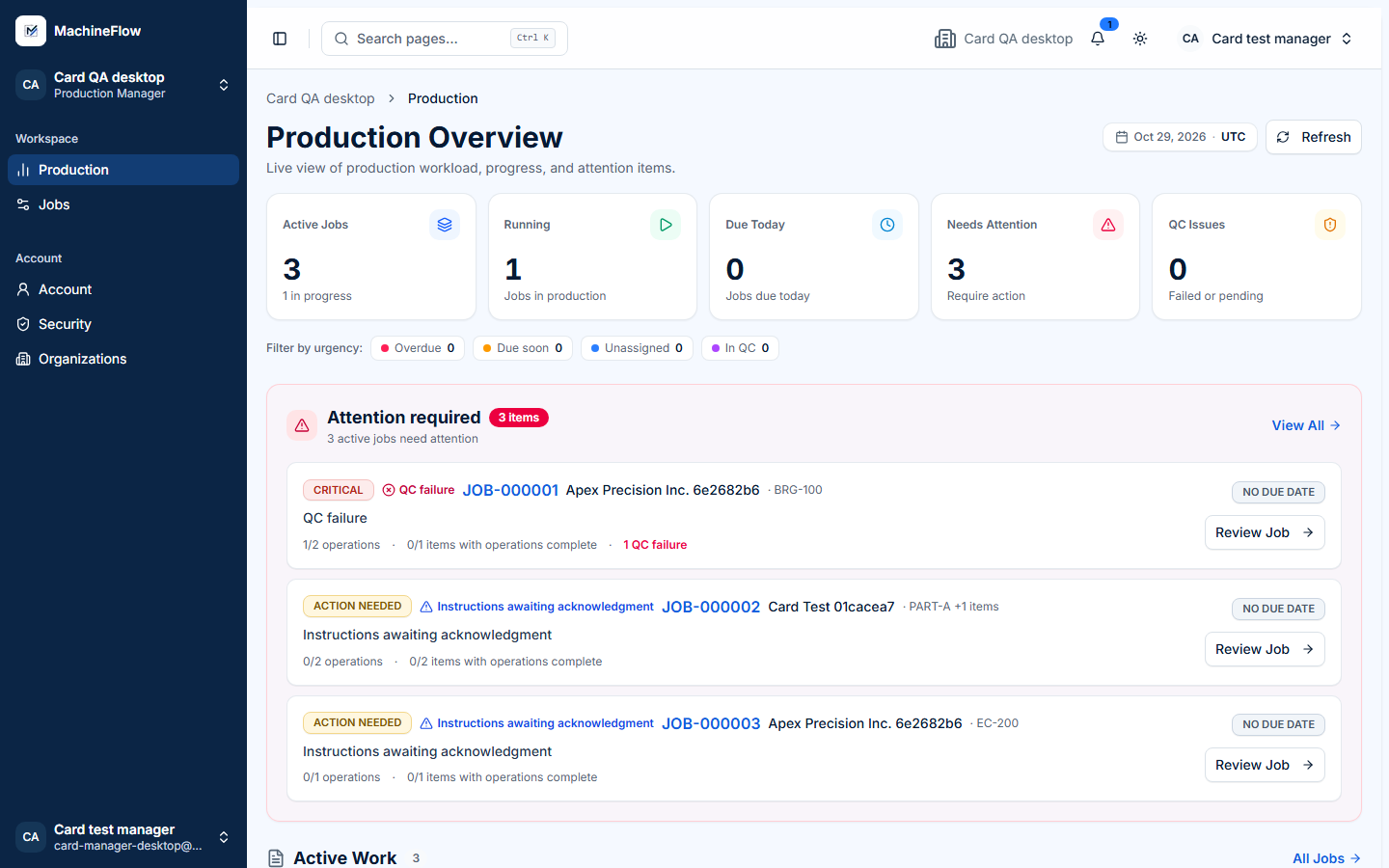
See what needs attention before it becomes a delay.
Get a clearer view of job status, upcoming due dates, unassigned work and QC requirements, so the next action is easier to find.
- Overdue workIdentify jobs past their due date.
- Upcoming due datesSee what is due soon and plan ahead.
- Unassigned workSpot jobs without clear responsibility.
- QC attentionFind work with outstanding checks.
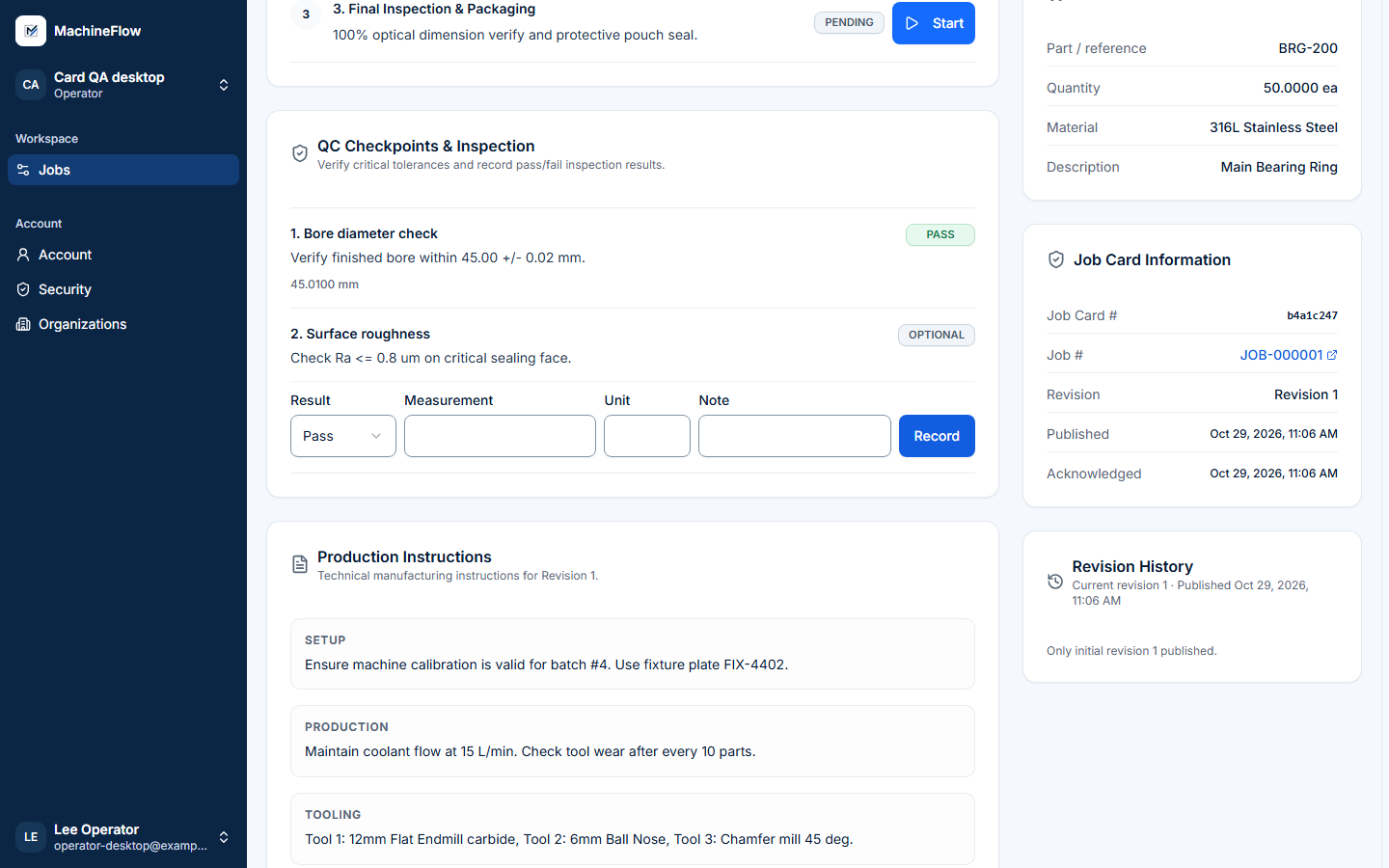
Give operators the information they need to do the job.
Digital job cards bring drawings, revisioned instructions, operations and required QC checks to the shop floor. Operators can acknowledge instructions and record progress in the same connected workflow.
- Drawings and current revision
- Operation and setup instructions
- Acknowledgements and QC context
Keep approved work moving with clearer job status.
Talk to us about how your shop currently tracks production and see where MachineFlow can help.