
Turn RFQs into structured quotations faster.
MachineFlow helps estimators build structured quotations from the RFQ workflow without rebuilding information across spreadsheets and email.
- Estimator-controlled
- AI-assisted review
- Quotation to job
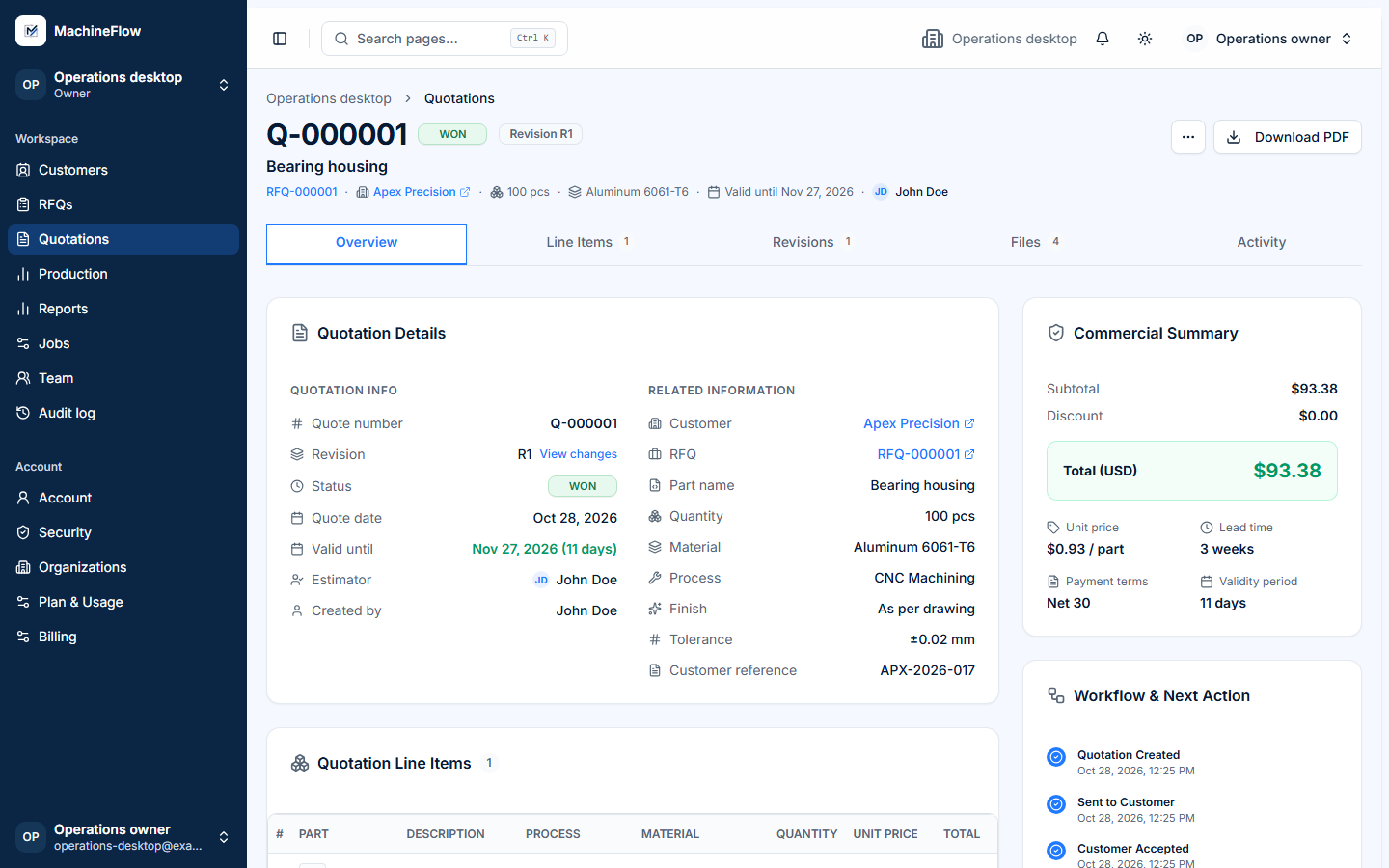
Quoting should not start from scratch every time.
When estimating lives across emails, spreadsheets and separate folders, critical details get missed, work is duplicated and pricing can only begin after manual coordination.
- Drawings and customer details scattered across email and folders.
- Manual data entry and rework in spreadsheets.
- Hard to use past quotations or similar parts for reference.
- Key information and revisions get missed.
- No clear view of which quotations need follow-up.
- MachineFlow brings RFQ and quotation information together.
From RFQ review to won quotation.
A connected workflow from incoming RFQ to a customer-ready quotation and job handoff.
- 01
RFQ
Receive the enquiry, requirements and drawings.
- 02
Review
Check drawings and customer context with AI assistance.
- 03
Estimate
Review inputs and set pricing with estimator control.
- 04
Build quotation
Prepare terms, lead time and revision details.
- 05
Send
Issue the quotation and track its status.
- 06
Won / Lost
Record the decision and carry won work into a job.
Structure the estimate without removing estimator judgment.
MachineFlow keeps quotation inputs, lead time, margin and commercial terms together. Your estimator reviews assumptions, makes adjustments and controls the final price.
- Structured line items, quantity and unit pricing
- Lead time and commercial terms in one place
- Estimator-controlled revisions and final price
- RFQ context stays linked to the quotation
Use AI as an estimation assistant.
Planned AI-assisted drawing review can organize manufacturing context and surface questions for the estimator. It does not set prices or make customer commitments.
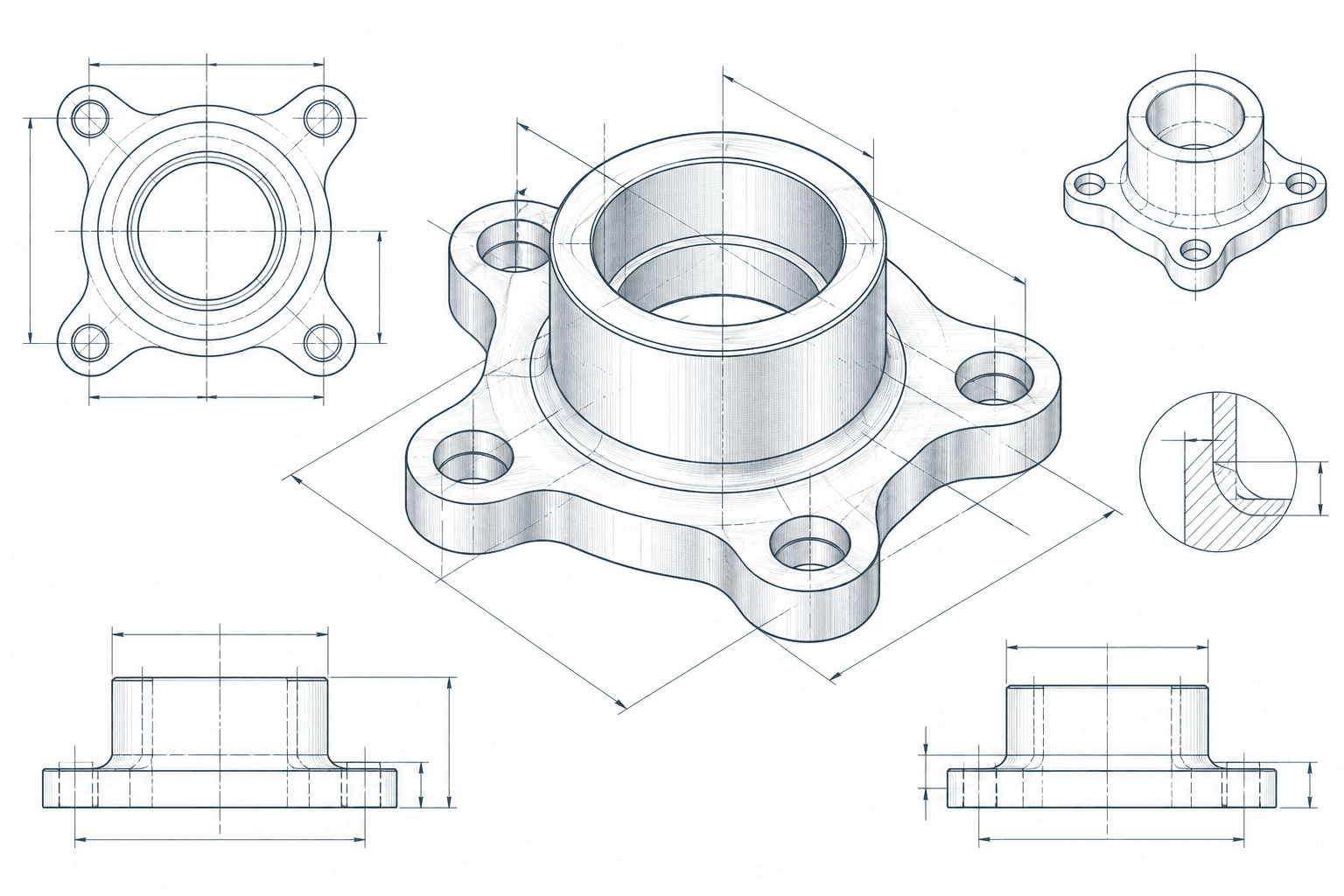
Potential manufacturing context for estimator review
- MaterialConfirm the grade against the drawing
- DimensionsCheck critical callouts and units
- ProcessReview suggested manufacturing steps
- UncertaintyResolve ambiguous notes before pricing

From estimate to customer-ready quotation.
Bring customer, part, quantity, estimator-set pricing, lead time, terms, validity and revision context into a clear commercial quotation.
- Commercial details in one place
- Quotation revisions stay connected
- Customer-facing information stays consistent
See which quotations need follow-up.
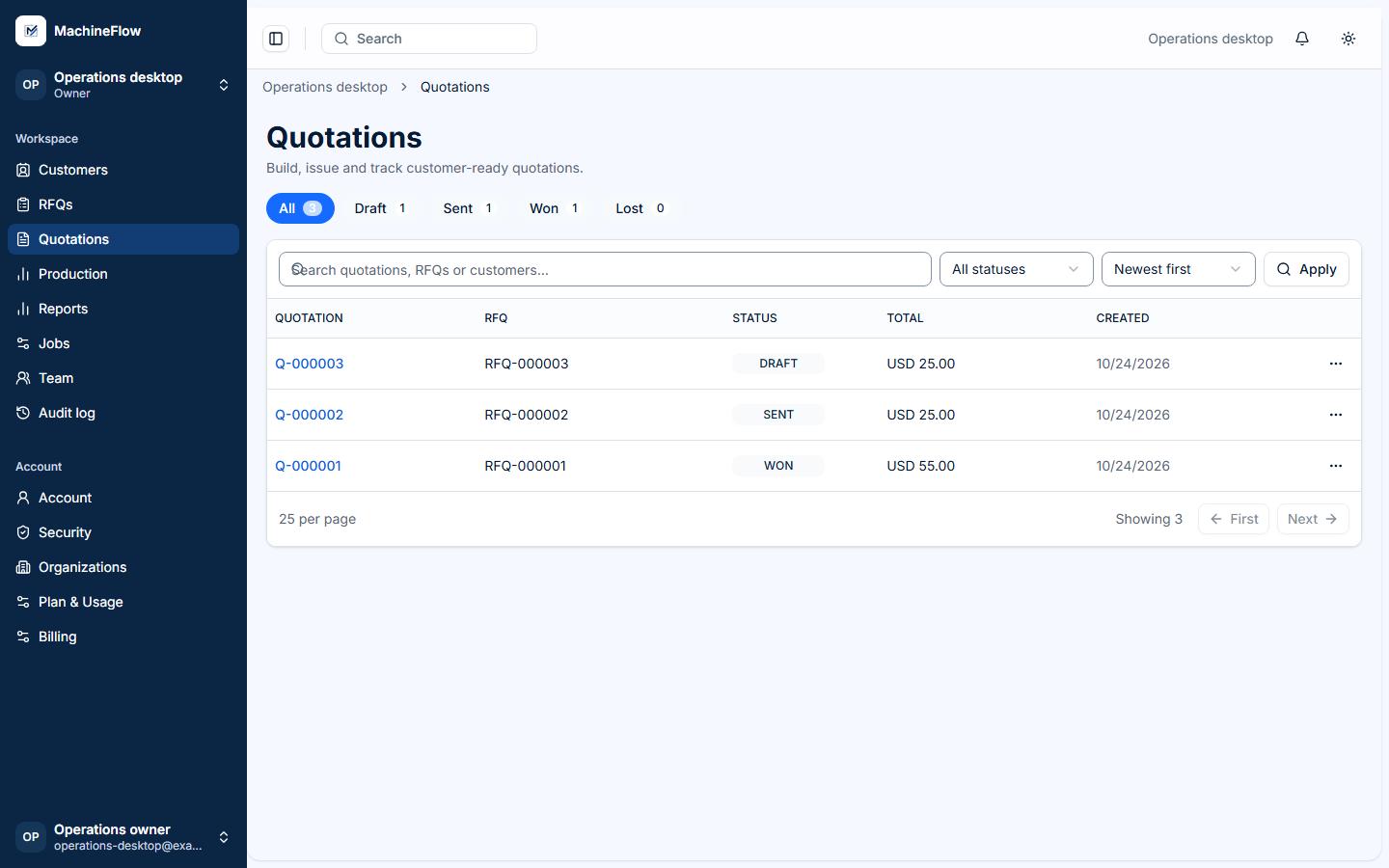
Search and filter quotations by supported statuses, then see what has been sent, won or lost.
When the quotation is won, the workflow continues.
Approved quotation information can flow into a production job without re-entering the same customer, part and RFQ context.
Explore Job Tracking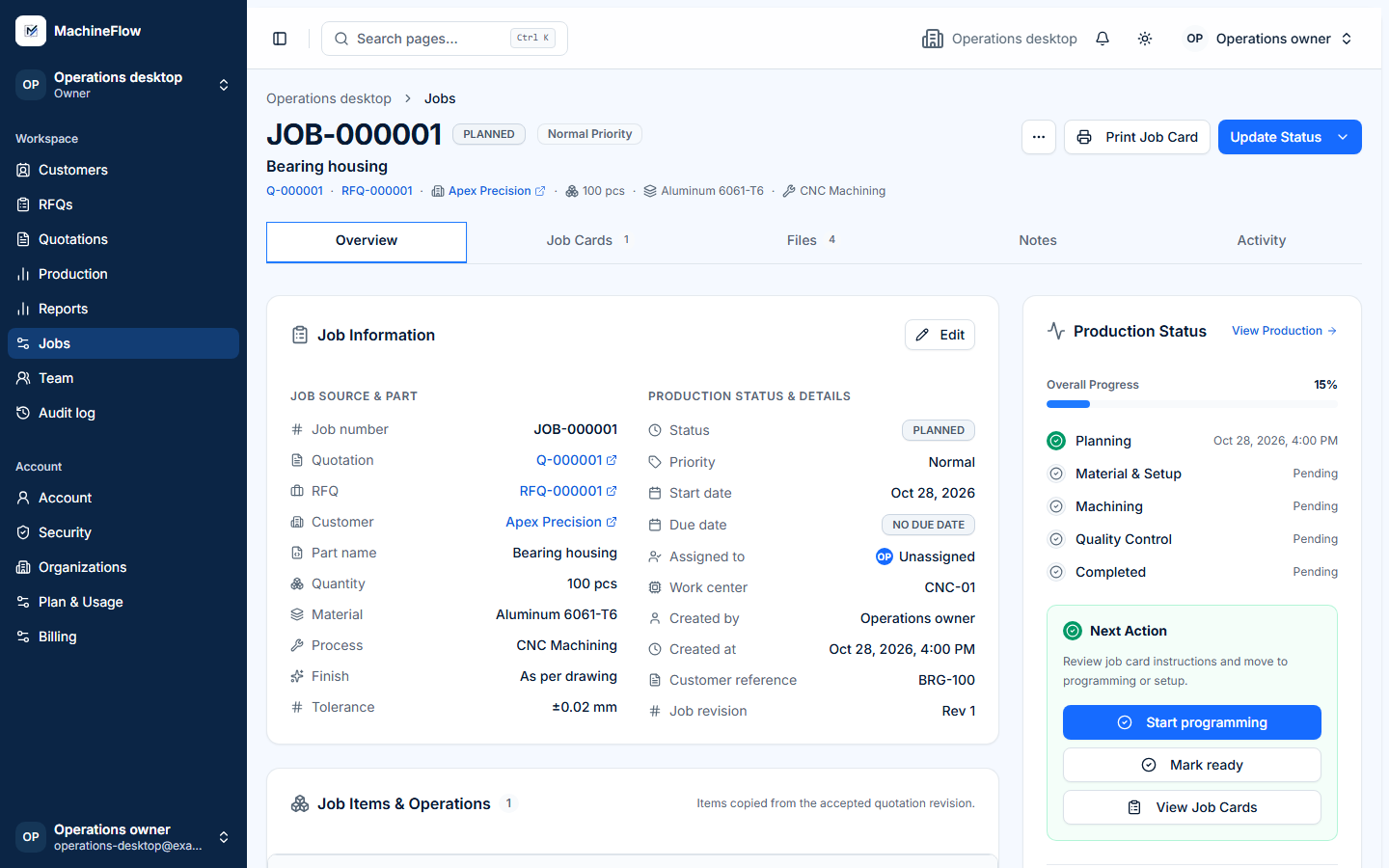
Still building quotations across spreadsheets and email?
Talk to us about how your shop currently turns RFQs into customer quotations.