
Keep every RFQ, drawing and deadline in one place.
Bring customer enquiries, drawings, deadlines and ownership together so estimators can review requirements without losing RFQ context. AI-assisted drawing review is part of the planned launch experience.
- Centralized enquiries
- Drawings kept together
- Connected to quotations
From incoming enquiry to customer decision.
- 01
Receive RFQ
Record the customer enquiry and supplied files.
- 02
Organize
Keep drawings, due dates and notes together.
- 03
Assign & Review
Give an estimator ownership of the next action.
- 04
AI Drawing Review
Planned assistance surfaces context for review.
- 05
Prepare Quote
Start a quotation with RFQ information in context.
- 06
Track Outcome
Keep quotation status connected to the RFQ.
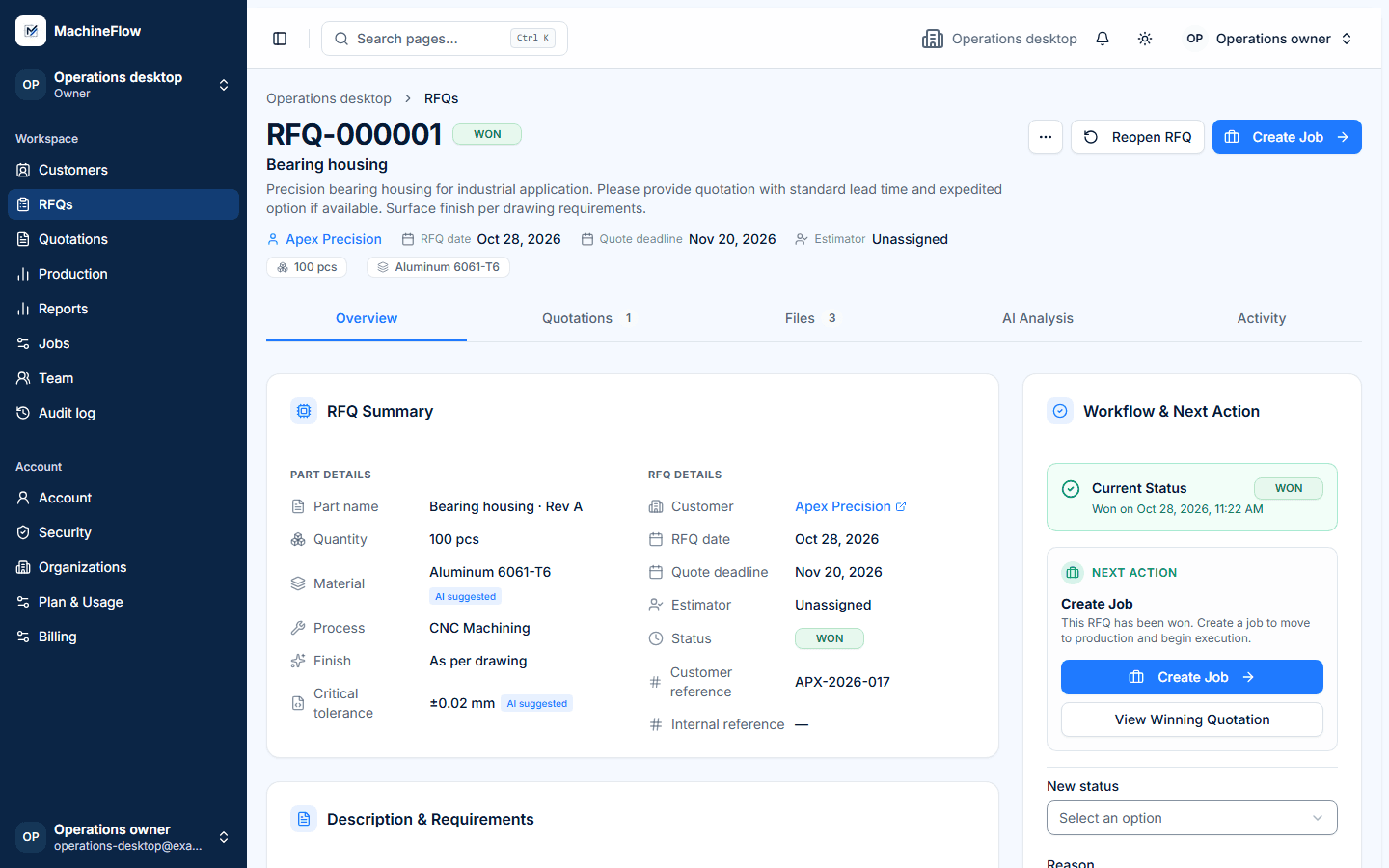
Keep drawings attached to the opportunity.
Keep customer drawings, PDFs and notes associated with the RFQ so the estimator can review the supplied information before preparing a quotation.
- Engineering files
- Customer requirements
- Due dates
- Notes and supplied drawing context
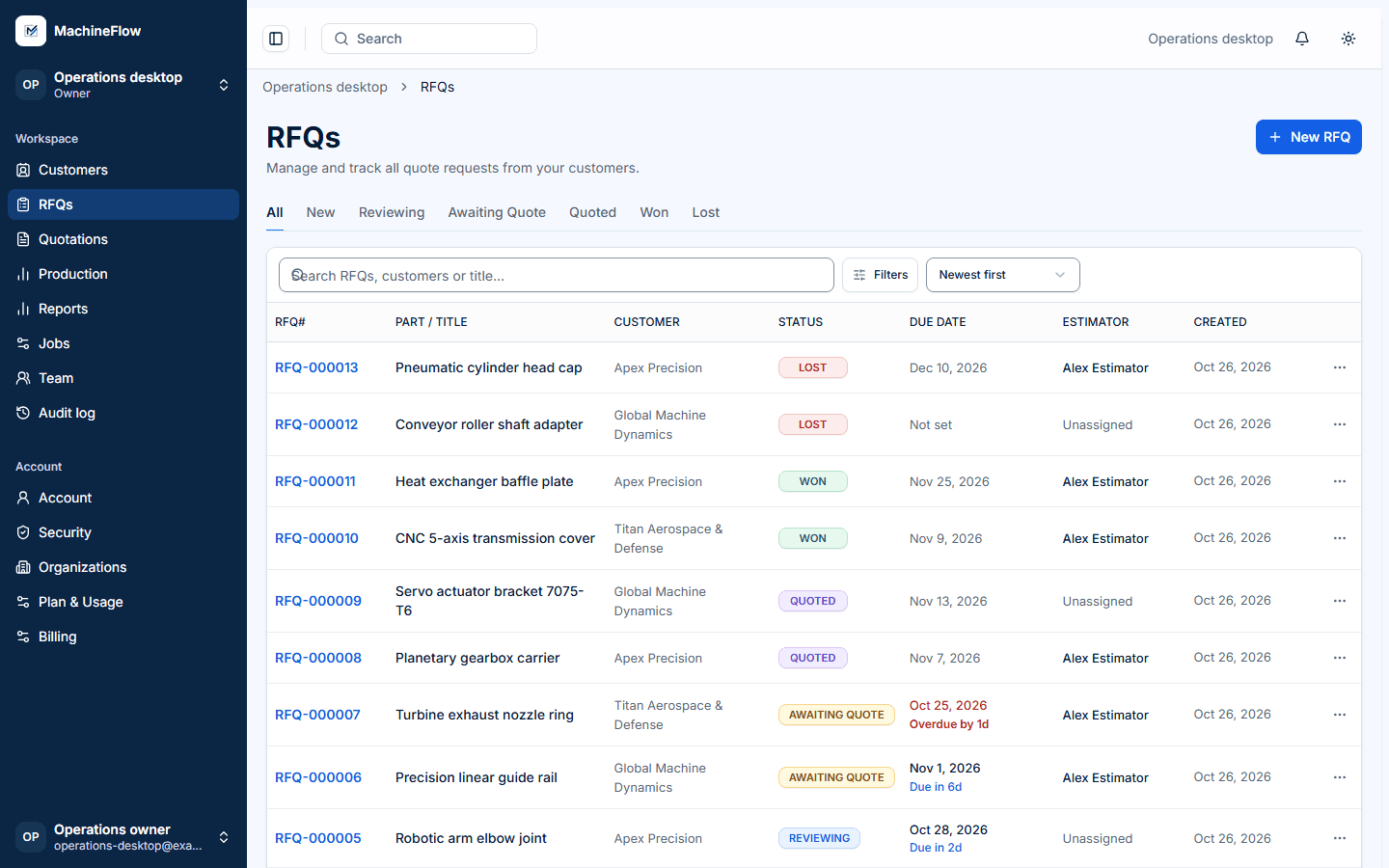
Know which RFQs need attention.
See what is new, what is approaching its due date and what needs follow-up. Search, filter and assign ownership so the next action stays visible.
- Search and filter by customer, due date, status or estimator
- Clear ownership and next action
- Activity history and notes in one place
From reviewed RFQ to structured quotation.
When the RFQ is ready, start a quotation with relevant customer, part and drawing context already connected. Your estimator remains responsible for reviewing inputs, costing and commercial terms.
Explore Quotations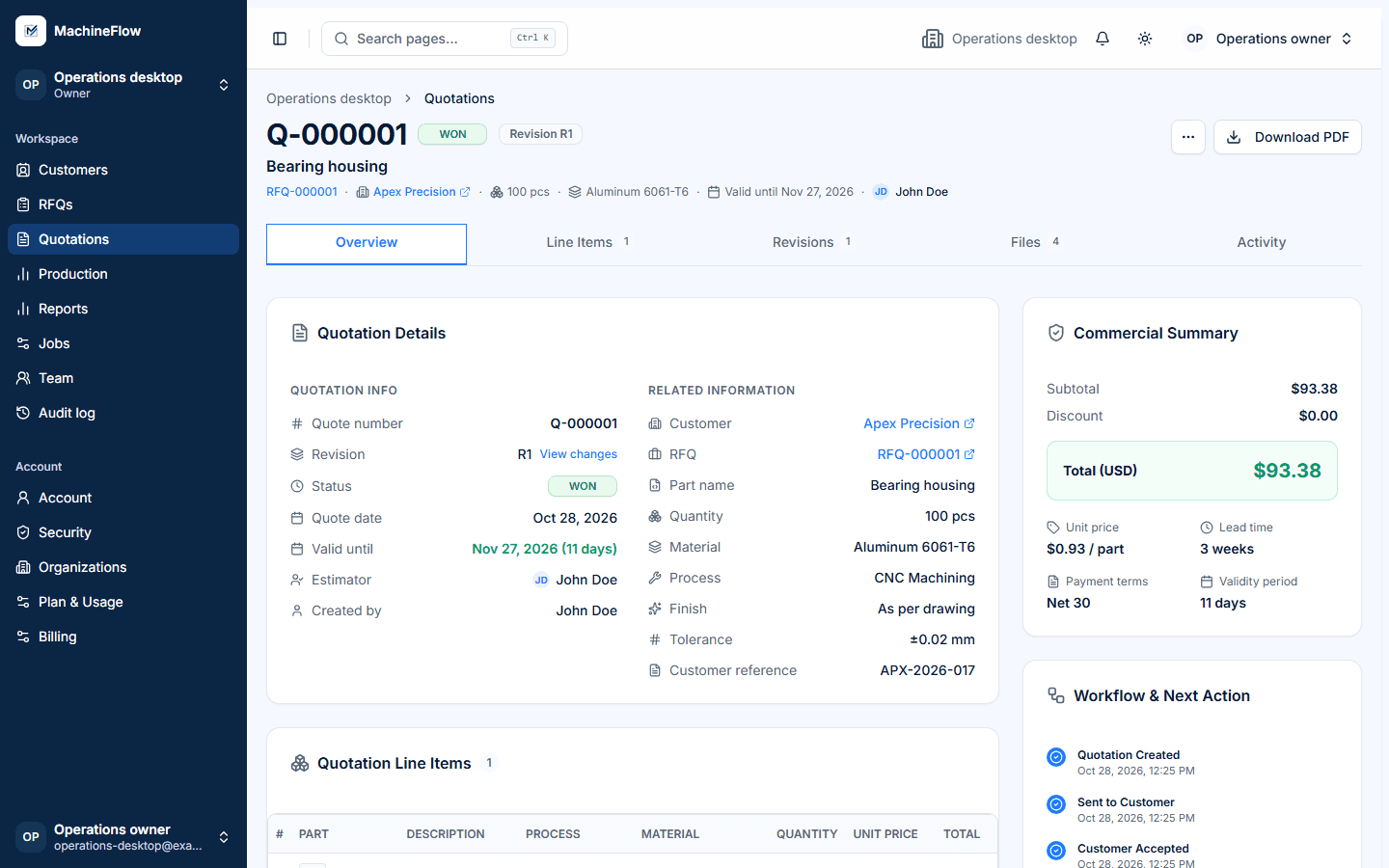
Bring RFQ intake into one connected workflow.
Talk to us about how your shop receives RFQs, organizes drawings and tracks quotation ownership.