
Know what's waiting, active and delayed.
See active jobs, upcoming due dates and work needing attention through connected job and shop-floor status.
- Connected job status
- Attention items in view
- From overview to job

Production status lives in too many places.
When job updates, due dates and shop-floor exceptions live in different places, it takes extra effort to see what needs action.
Disconnected workflow
- Job status is scattered across spreadsheets, messages and paper.
- Due dates are easy to miss when work is tracked separately.
- Unassigned jobs can sit without a clear next owner.
- Instruction acknowledgements and QC issues need follow-up.
With MachineFlow
- See active work and exceptions in one connected view.
- Identify overdue and due-soon jobs.
- Find work waiting for assignment or acknowledgement.
- Open the relevant job to review the next action.
Know what needs attention first.
Focus on the exceptions that hold up work, from overdue jobs to unacknowledged instructions and QC issues.
Overdue work
Jobs past their due date that need review.
Due soon
Upcoming job dates kept in view.
Unassigned
Jobs without a clear owner.
Acknowledgements
Instructions waiting for an operator to acknowledge.
Missing instructions
Job cards that need current work instructions.
QC attention
Outstanding checks or recorded failures.
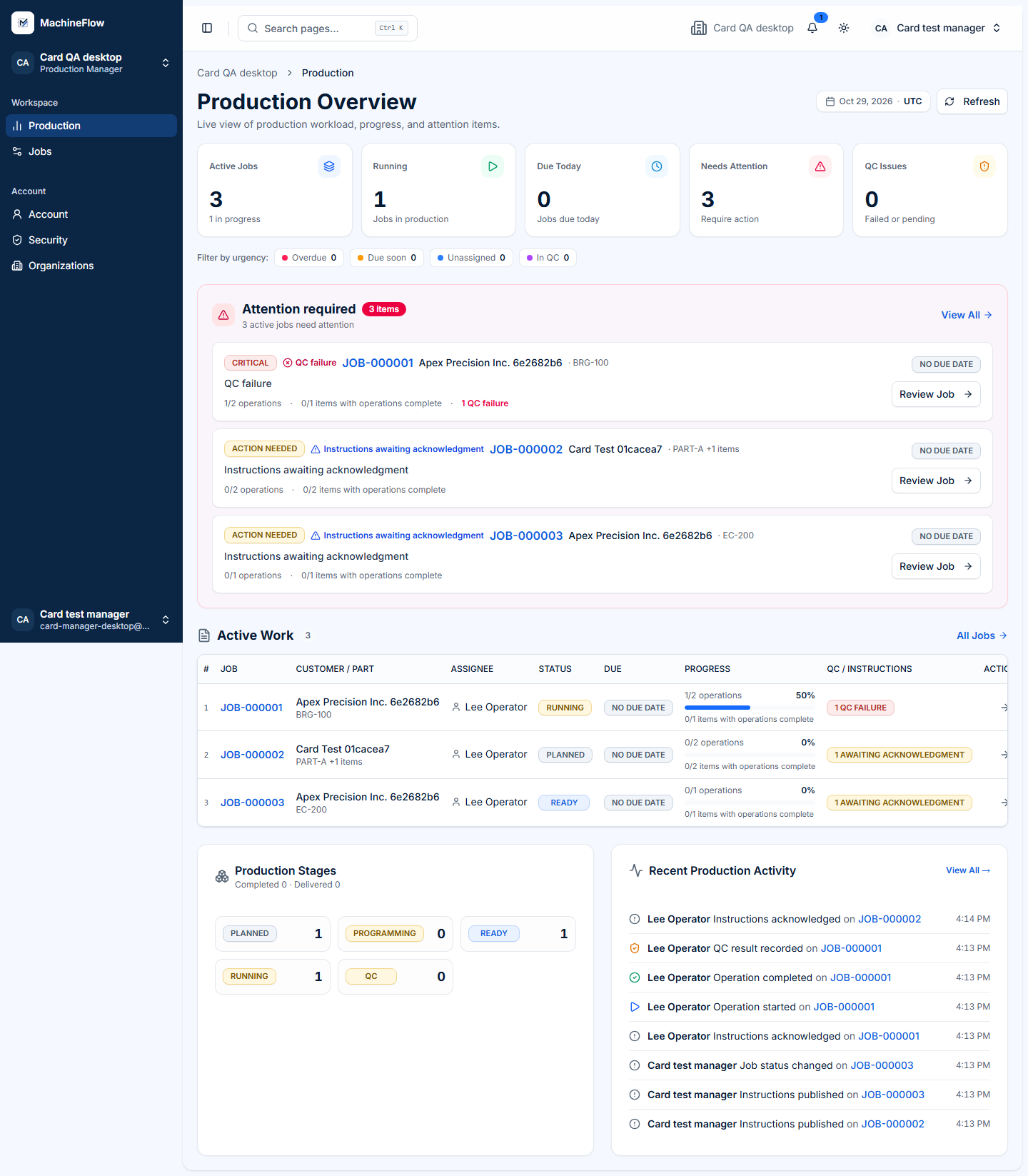
- QC failureReview the job's quality check.
- Instructions awaiting acknowledgementOpen the linked job card.
- Work due soonCheck the job due date and status.
Illustrative preview of supported attention states.
See problems before they become production delays.
Use workflow status to spot jobs that need a decision, then open the underlying record to review what is missing.
- Review overdue workSee which jobs need a date or status update.
- Watch upcoming datesKeep the next due jobs visible.
- Find unassigned jobsIdentify work waiting for responsibility.
- Check quality exceptionsOpen jobs with QC work needing attention.
Move from overview to the actual work.
Open the job behind an exception to review its part, due date, linked quotation, job cards and production status in context.
Explore Job Tracking
Bring clearer workflow visibility into your shop.
Talk to us about how your shop currently tracks jobs, due dates and work needing attention.